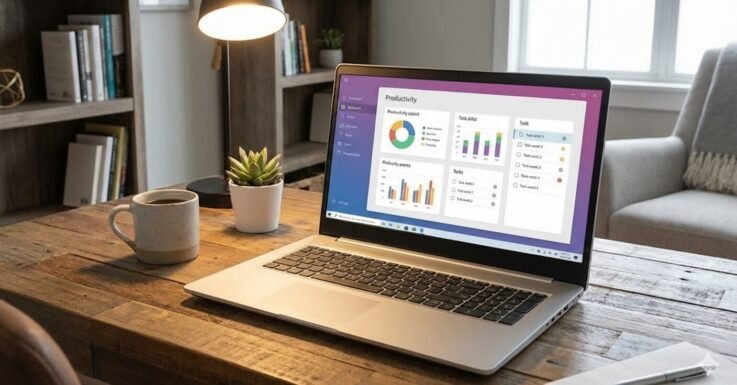

Ace Your Classes: Top 5 Best Laptops For College Students 2026
College laptops in 2026 aren’t just glorified typewriters. Today’s students need machines that can seamlessly handle heavy multitasking, run the latest AI tools, and survive long days in the library without needing a mid-afternoon charge. Whether you are looking for an ultra-portable companion or a full-on productivity beast with a massive screen, the market has never been better.
In this guide, we’re breaking down the top five Best Laptops For College Students 2026. We’ve analyzed their processing power, battery life, portability, and value to help you find the perfect fit for your major and budget. Let’s get started.
Table of Contents
At a Glance: Top 5 College Laptops
| Product Name | Processor | Key Feature | Best For |
|---|---|---|---|
| Apple MacBook Air 13-inch | Apple M4 | 18-Hour Battery & Fanless | All-Around Premium Pick |
| Acer Aspire 16 AI | Snapdragon X | 16-inch 120Hz Touchscreen | Windows AI Power Users |
| Dell 15 Laptop | Intel Core i5 | Dedicated Numeric Keypad | Accounting & Science Majors |
| Acer Aspire Go 15 | Intel Core i3 | Full HD Display & Wi-Fi 6 | Best Budget Value |
| Apple MacBook Air (16GB) | Apple M4 | 16GB Unified Memory | Future-Proofing & Heavy Multitasking |
The 5 Best College Laptops Reviews
1. Apple MacBook Air 13-inch (M4)

Best For: All-Around Premium College Experience
We’re starting with the Apple MacBook Air 13-inch because it is the gold standard for a reason. Packing the new M4 chip, everyday multitasking and creative work feel effortless. It boasts a gorgeous 13.6-inch Liquid Retina display that delivers sharp text and rich colors, making it perfect for late-night reading and Netflix breaks.
- Silent Operation: The completely fanless design means it stays dead silent, even when editing video or running multiple heavy apps.
- Insane Battery: Offers an incredible 18-hour battery life—you can literally leave your charger in your dorm room.
- AI Integration: Features Apple Intelligence to assist with writing, summarizing, and staying organized.
- Build: Lightweight, premium aluminum body that easily slips into a backpack.
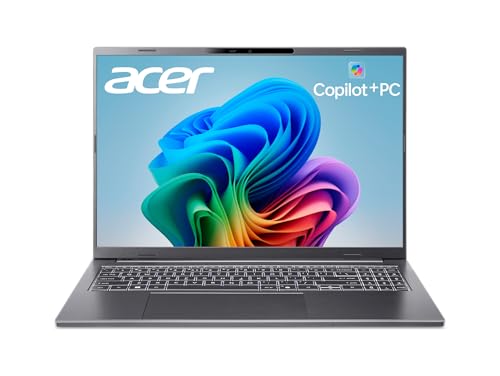
2. Acer Aspire 16 AI
Best For: Windows AI Power Users and Large Screen Lovers
If you prefer Windows and want modern AI features, the Acer Aspire 16 AI is a standout choice. Powered by the efficient Snapdragon X processor, it handles heavy tasks through the built-in Qualcomm AI Engine. The massive 16-inch 120Hz touchscreen is vivid, bright, and makes scrolling feel buttery smooth.
- Copilot+ Integration: Comes with a dedicated key for immediate AI workflow assistance.
- Video Calls: AI-enhanced video conferencing features are fantastic for remote classes or group projects.
- Battery: Impressive battery life that often lasts a full day when kept in eco mode.
- Portability: Despite the large 16-inch screen, the slim chassis keeps it reasonably portable.
3. Dell 15 Laptop DC15250


Best For: Accounting, Science Majors, and Practicality
The Dell 15 DC15250 is a practical, no-nonsense workhorse designed to be a dependable home base for your studies. Driven by an Intel Core i5 processor, it delivers highly reliable speed for web browsing, office apps, and research.
- Student-Friendly Keyboard: Features a spacious layout and a dedicated numeric keypad—an absolute lifesaver for accounting and STEM majors.
- Eye Comfort: Dell ComfortView software cuts down on harmful blue light to save your eyes during all-nighters.
- Power Delivery: Supports Express Charge to get you back up and running quickly between classes.
- Durability: Sturdy build quality from a trusted name brand that prioritizes function over flash.
4. Acer Aspire Go 15

Best For: The Best Budget Value
If you’re looking for something highly budget-friendly that still feels capable, the Acer Aspire Go 15 is the one to check out. Packing an Intel Core i3-N305 processor and 8GB of RAM, it handles writing papers, streaming lectures, and general productivity with ease.
- Speed: Utilizes fast UFS storage so the laptop boots up quickly and apps don’t lag.
- Display: 15.6-inch Full HD display is sharp and includes Acer’s blue light shield technology.
- Modern Touches: Includes Wi-Fi 6, a full-function USB-C port, and a dedicated Copilot key for AI help.
- Eco-Friendly: Built with recycled materials in a surprisingly lightweight frame.
5. Apple MacBook Air 13-inch (16GB Memory)

Best For: Future-Proofing and Heavy Multitasking
We’re finishing with another configuration of the MacBook Air, focusing on why the 16GB memory version is the smarter long-term play. It packs the same blazing-fast M4 chip, but the extra unified memory makes it a true beast for future-proofing your college career.
- Heavy Multitasking: Keep dozens of Chrome tabs, a Zoom call, and a creative project open simultaneously without a hint of slowdown.
- Camera Upgrade: The 12MP Center Stage camera keeps you perfectly framed during online lectures.
- Aesthetics: The Midnight finish looks incredibly sleek, professional, and premium.
- Longevity: Fast, durable, and highly responsive—this is a machine guaranteed to perform flawlessly through graduation and beyond.
Final Verdict
If you have the budget and want a laptop that will flawlessly carry you from freshman orientation to your first post-grad job, the Apple MacBook Air (16GB) is the ultimate future-proof investment. If you are a Windows fan who wants a massive, buttery-smooth screen and modern AI tools, the Acer Aspire 16 AI is a fantastic choice. For students strictly on a budget who just need to write papers and browse the web, the Acer Aspire Go 15 is an absolute steal.
Frequently Asked Questions (FAQs)
1. Mac or Windows for college?
This entirely depends on your major! Graphic design, film, and general arts majors often prefer MacBooks for their creative software optimization. Engineering, architecture, and computer science majors often require Windows laptops to run specific CAD or programming software. Always check your university’s program requirements before buying.
2. Is 8GB of RAM enough for a student?
8GB of RAM (like in the Acer Aspire Go 15) is perfectly fine for basic tasks: writing in Microsoft Word, browsing the web, and watching Netflix. However, if you plan to keep 30 browser tabs open while running heavy software, upgrading to 16GB (like the premium MacBook Air option) will prevent the computer from lagging.
3. What does a “Copilot+” or “AI” key do?
Many new Windows laptops feature a dedicated Copilot key. Pressing this instantly brings up Microsoft’s AI assistant, which can help you summarize long PDF documents, draft emails, generate images, or quickly find information online, saving you tons of research time.
Last update on 2026-10-11/Affiliate links / Images from Amazon Product Advertising API