5 Best Monitor Arm for Desk Setup Options to Declutter Your Workspace
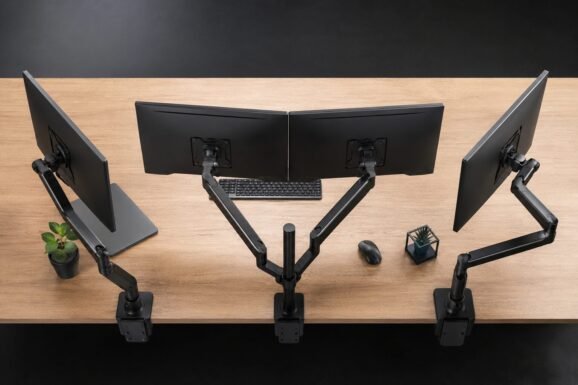
Finding the absolute best monitor arm for desk setup optimization is one of the most effective ways to reclaim valuable desk real estate and improve your daily ergonomics. Whether you are running a complex multi-display trading station or a minimalist single-screen setup, the right monitor arm offers the flexibility to tilt, swivel, and rotate your screens to the exact height and angle you need, reducing strain on your neck and shoulders.
In this comprehensive guide, we review five of the top-performing monitor arms on the market today. We have thoroughly evaluated their build quality, weight capacities, and ease of installation to help you find the perfect match for your work or gaming habits. Read on to discover which of these premium mounts will finally help you achieve your dream desk aesthetic.
Table of Contents
At a Glance: Top 5 Best Monitor Arm for Desk Setup Options
| Product Name | Key Features | Ideal Use |
|---|---|---|
| 1. HUANUO HNDS6 Dual Monitor Arm | Dual gas spring, alloy steel construction, dual C-clamp/grommet base | Dual monitor productivity setups |
| 2. VIVO STAND-V001 Single Monitor Mount | Heavy-duty steel, center pole height adjust, detachable VESA plate | Budget-conscious single screen configurations |
| 3. HUANUO TitanLift Ultrawide Monitor Arm | MechaSpring technology, supports up to 44 lbs, aluminum build | Heavy ultrawide and gaming displays |
| 4. HUANUO HNSS6 Single Monitor Arm | Smooth gas spring, rapid 3-minute install, high tilt range | Active sitting-to-standing users |
| 5. NB Smoovex A5-B Mechanical Arm | Precision mechanical spring, slim profile, visual tension indicator | Desks pushed tight against a wall |
🥇 1. HUANUO HNDS6 Dual Monitor Arm


This dual-screen mount is best for professionals and creators looking to clean up a cluttered multi-monitor workspace. Built from robust alloy steel, the HUANUO HNDS6 easily supports two screens ranging from 13 to 32 inches. Thanks to its smooth gas spring system, repositioning your screens is almost effortless, allowing you to tilt, swivel, and rotate your setup to the ideal ergonomic angle.
Stability is outstanding with the dual C-clamp base, ensuring your monitors do not sag over time. Additionally, the integrated cable management channels hide unsightly wires, making this a fantastic option to clean up your visual space without breaking the bank.
- Screen Sizes: 13 to 32 inches per arm
- Weight Capacity: 19.8 lbs per arm
- Material: Alloy steel
- Mount Type: C-Clamp and Grommet
- Con: Tension adjustments can require initial patience to balance perfectly
🥈 2. VIVO STAND-V001 Single Monitor Mount
No products found.
This heavy-duty steel mount is perfect for minimalist setups where you want a reliable screen height that never sags. The VIVO STAND-V001 uses a rock-solid center pole design instead of gas springs, ensuring your screen remains firmly locked in place exactly where you set it. It is exceptionally sturdy, holding larger displays up to 38 inches for ultrawides or 32 inches for standard screens.
The inclusion of a detachable VESA plate makes the installation process remarkably easy, saving you the struggle of holding up a heavy monitor while trying to align screws. It is a highly practical, budget-friendly solution built to last for years.
- Screen Sizes: Up to 38 inches (Ultrawide) or 32 inches (Standard)
- Weight Capacity: 22 lbs
- Material: High-grade steel
- Pole Height: 16 inches
- Con: Manual height adjustments require loosening a collar on the pole
🥉 3. HUANUO TitanLift Ultrawide Monitor Arm
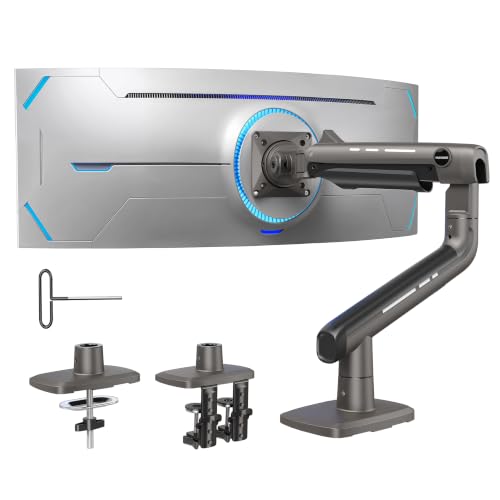
This robust mechanical-spring arm is engineered specifically for premium, heavy-duty gaming and ultrawide displays. If you own a massive 49-inch ultrawide monitor, the HUANUO TitanLift is built to handle it without breaking a sweat. Using state-of-the-art MechaSpring technology, this mount provides reliable vertical hold and smooth adjustability without the typical sagging issues seen on standard mounts.
Constructed of premium aluminum alloy, the TitanLift is both exceptionally strong and aesthetically pleasing. The dual C-clamp base distributes the immense weight evenly, keeping your desk surface entirely safe and level.
- Screen Sizes: Up to 49 inches
- Weight Capacity: 44 lbs
- Material: High-strength aluminum alloy
- Spring Type: MechaSpring
- Con: Larger footprint on the back of the desk than standard arms
🏅 4. HUANUO HNSS6 Single Monitor Arm
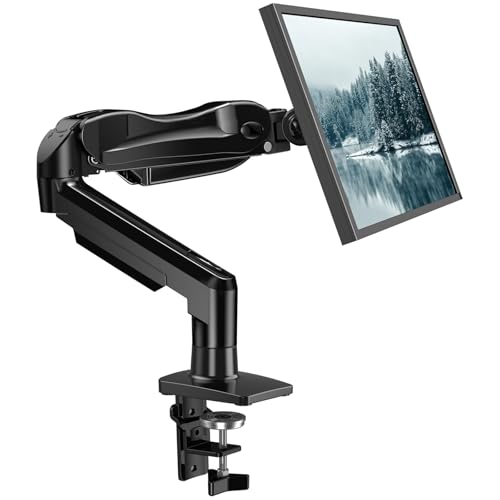
This smooth gas spring arm is best for active users who frequently move or adjust their screen throughout the day. Featuring the FlowLift design, the HUANUO HNSS6 is incredibly fluid, letting you raise, pull, or tilt your monitor with just one hand. This makes it ideal if you transition between sitting and standing, or enjoy pulling the monitor forward during intense gaming sessions.
It features automotive-grade internal spring components designed to retain tension and performance over years of daily use. Best of all, it can be fully installed in less than three minutes, making it a highly user-friendly choice.
- Screen Sizes: 13 to 32 inches
- Weight Capacity: 19.8 lbs
- Spring Type: Gas spring
- Tilt Range: -50 to +85 degrees
- Con: Plastic cable management clips can be tight to open
🎗️ 5. NB Smoovex A5-B Mechanical Arm
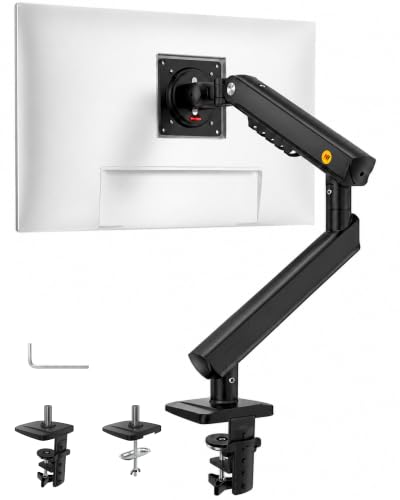
This space-saving mechanical arm is designed for shallow desks and setups pushed tight against a wall. The NB Smoovex A5-B utilizes a new-generation precision mechanical spring instead of a gas cylinder, eliminating any long-term leaking risks. Its unique folding joints allow the arm to collapse flatter than most traditional gas spring options.
With its premium aluminum structure and convenient visual tension indicator, adjusting this mount to the weight of your screen is simple and accurate. It offers an incredible balance of modern engineering, durability, and space efficiency.
- Screen Sizes: Up to 32 inches
- Spring Type: Precision mechanical spring
- Material: Premium aluminum
- Special Feature: Visual tension indicator
- Con: Does not support displays heavier than standard 32-inch models
Which Monitor Arm for Desk Setup is Right for You?
Choosing the best monitor arm for desk setup optimization depends entirely on your desk layout and monitor size. If you use dual displays, the HUANUO HNDS6 is the easiest way to align your screens seamlessly. If you own a massive 49-inch ultrawide panel, you should invest in the premium strength of the HUANUO TitanLift. For those on a budget who value set-and-forget simplicity, the VIVO STAND-V001 offers unbeatable stability at a highly affordable price.
| Product | Best For |
|---|---|
| HUANUO HNDS6 Dual Arm | Productive dual-monitor setups |
| VIVO STAND-V001 | Set-and-forget single screens |
| HUANUO TitanLift | Heavy-duty 49-inch ultrawide monitors |
| HUANUO HNSS6 Single Arm | Active, frequent screen height adjusters |
| NB Smoovex A5-B | Desks pushed close against a back wall |
Frequently Asked Questions
Will a monitor arm work on any desk setup?
Most monitor arms utilize standard C-clamp or grommet mounts that work with desks between 0.5 to 3.5 inches thick. However, if you have a desk made of fragile material like glass or thin hollow-core particle board, you may need a reinforcement plate to prevent damage.
What is the difference between gas spring and mechanical spring arms?
Gas spring arms use a pressurized cylinder for effortless, smooth movements and are great for active adjustments. Mechanical spring arms use a physical metal coil, which generally offers longer lifespan and eliminates any risk of gas leaking over time.
Are all monitors compatible with these mounting arms?
Almost all modern computer monitors feature standard VESA mounting patterns (usually 75x75mm or 100x100mm) on the back. As long as your monitor has these screw holes and falls within the arm’s weight limit, it is fully compatible.
How do I prevent my monitor arm from sagging?
If your monitor arm begins to drop, you need to adjust its tension screw. Turning the tension screw toward the plus (+) sign increases the lift force to match heavier screens, while turning it toward the minus (-) sign decreases tension for lighter displays.
Is a dual monitor arm better than two single monitor arms?
A dual monitor arm keeps your desk cleaner because it only uses a single mount base. However, two single arms offer far greater range of motion and positioning flexibility, making them the preferred choice for complex or angled desk setups.
Last update on 2026-09-08/Affiliate links / Images from Amazon Product Advertising API