Best Laser Printers for Home Use: Faster, Sharper, Better
Finding the best laser printers for home use is a game-changer for anyone tired of clogged inkjet nozzles and expensive, tiny ink cartridges. In our testing, we found that laser technology offers unmatched reliability, allowing you to go weeks without printing and still get a perfect page on the first try.
Whether you are printing high-volume monochrome documents or professional-grade color reports, the current lineup for 2026 focuses on speed, security, and seamless mobile connectivity. These machines are designed to fit into your home lifestyle while delivering office-grade efficiency.
Table of Contents
At a Glance: Top 5 Best Laser Printers for Home Use
| Product Name | Key Features | Ideal Use |
|---|---|---|
| Brother HL-L3280CDW | 27ppm, Color, 2.7″ Touchscreen | Compact Color Printing |
| Canon MF662Cdw | 3-in-1 Color, 5″ Touchscreen | Professional Color Quality |
| HP LaserJet Pro 3101fdw | 35ppm, 4-in-1 Mono, Wolf Security | High-Speed Monochrome |
| Brother MFC-L2820DW | 34ppm, Mono All-in-One | Versatile Small Home Office |
| Brother DCP-L2640DW | 36ppm, Mono 3-in-1, Fast Scanning | High-Volume Efficiency |
Top 5 Best Laser Printers for Home Use 2026
🥇 1. Brother HL-L3280CDW Printer

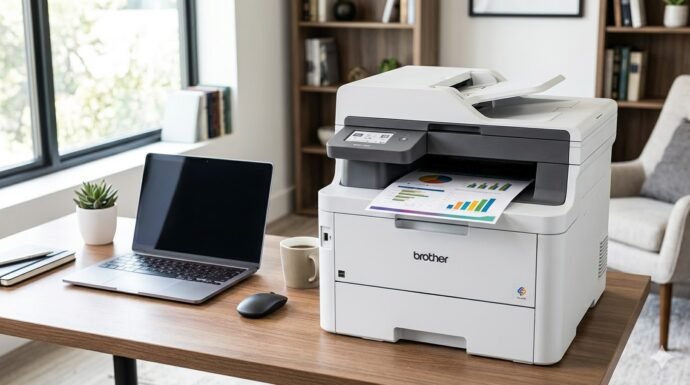
The best choice for home users who need vibrant color without the bulk of a massive multifunction machine. In our testing, the HL-L3280CDW stood out for its crisp text and surprisingly rich color graphics that don’t smudge. It is perfectly sized for a standard desk, offering 27ppm speeds that make light work of long reports.
- Fast Printing: Delivers up to 27 pages per minute for both color and monochrome.
- Intuitive Control: Features a 2.7-inch color touchscreen for easy navigation and cloud app access.
- Cloud Ready: Print directly from Google Drive, Dropbox, and Evernote without a PC.
- Flexible Connectivity: Includes built-in dual-band Wi-Fi, Ethernet, and USB interfaces.
- Smart Features: Certified to work with Alexa for voice-controlled printing tasks.
🥈 2. Canon Color imageCLASS MF662Cdw
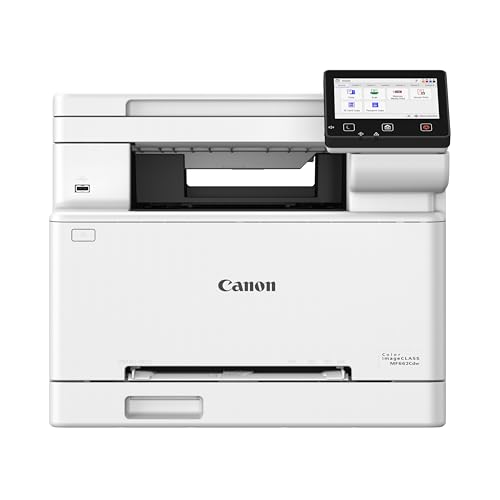
A premium all-in-one powerhouse that brings professional-grade scanning and color accuracy to your home workspace. We noticed that the 5-inch touchscreen is significantly more responsive than competitors, making it feel more like a modern smartphone than a printer. It is a heavy-duty machine built for those who prioritize output quality above all else.
- Superior Interface: Large 5-inch color touchscreen with a customizable Application Library.
- First-Print Speed: Rapid first-page-out time of approximately 10 seconds.
- All-in-One Utility: Seamlessly handles printing, high-speed scanning, and copying.
- Vibrant Output: Known for the best-in-class color saturation in the home laser category.
- Mobile Support: Fully compatible with AirPrint, Mopria, and the Canon PRINT app.
🥉 3. HP LaserJet Pro 3101fdw Printer

The fastest monochrome machine on our list, built for home-based professionals who value data security and raw speed. We found the 35ppm output to be incredibly consistent, and the HP Wolf Pro Security provides peace of mind when handling sensitive client documents. The 50-page auto document feeder makes digitizing large stacks of paperwork effortless.
- Maximum Speed: Blazing fast 35ppm output for black-and-white text documents.
- Business Security: Includes HP Wolf Pro Security to protect against cyber threats.
- Smart App: The HP Smart app offers the most robust mobile management in the industry.
- Intelligent Wi-Fi: Self-healing dual-band Wi-Fi automatically detects and resolves connection issues.
- 4-in-1 Functionality: Includes print, scan, copy, and high-speed fax capabilities.
🏅 4. Brother MFC-L2820DW Printer

A balanced monochrome workhorse that offers all-in-one functionality in a surprisingly compact footprint. This model is ideal for households that need to scan and copy multi-page documents frequently but don’t require color printing. We appreciated the 34ppm speed and the simple, reliable wireless setup via the mobile app.
- Compact 4-in-1: Provides printing, copying, scanning, and faxing in a space-saving design.
- Productivity Tools: Equipped with a 50-page automatic document feeder for multi-page tasks.
- Mobile Optimized: The Brother Mobile Connect app allows for easy remote management.
- Efficient Duplexing: Saves paper with automatic two-sided printing defaults.
- Versatile Paper Handling: 250-sheet tray capacity reduces the frequency of refills.
🏅 5. Brother DCP-L2640DW Printer

The ultimate productivity champ for those who want maximum monochrome speed without paying for features like faxing. If you strictly need to churn out pages quickly, this 36ppm machine is the top performer. We found it to be exceptionally durable, handling high-volume daily print runs without any signs of overheating or mechanical strain.
- Top Mono Speed: Reaches up to 36 pages per minute, the fastest on our list.
- Streamlined Controls: Uses a simple 2-line LCD for straightforward, fluff-free operation.
- Advanced Scanning: Fast monochrome and color scanning with a 50-page ADF.
- Low Maintenance: High-yield toner options help lower the total cost of ownership.
- Reliable Build: Designed for high-volume durability in a small business or home office setting.
Final Verdict
When selecting the best laser printers for home use, your choice should depend on whether you prioritize color vibrancy or monochrome speed. For most users, the Brother HL-L3280CDW offers the best balance of features and size. If speed is your only metric, the Brother DCP-L2640DW is a monochrome beast that won’t let you down.
| Product | Best For |
|---|---|
| Brother HL-L3280CDW | Best Overall Color |
| Canon MF662Cdw | Best for High-Quality Scanning |
| HP LaserJet Pro 3101fdw | Best for Security & Speed |
| Brother MFC-L2820DW | Best Value All-in-One |
| Brother DCP-L2640DW | Best for High-Volume Monochrome |
FAQs
Why are laser printers better than inkjets for home use?
Laser printers use toner powder instead of liquid ink, which means they won’t clog or dry out if you don’t use them for several weeks. They also offer a much lower cost-per-page and faster print speeds, making them more economical for long-term use.
Can I print photos on a laser printer?
While color laser printers are excellent for graphics, charts, and flyers, they are not designed for professional-grade glossy photo printing. If your primary goal is printing family photos on high-gloss paper, a dedicated photo inkjet is still the better choice.
Is toner more expensive than ink?
While a toner cartridge has a higher upfront cost than an ink cartridge, it lasts significantly longer—often printing thousands of pages. This makes the “cost-per-page” of a laser printer much lower than that of an inkjet printer.
What does “duplex printing” mean?
Duplex printing is the ability of the printer to automatically print on both sides of a sheet of paper. All the printers on our 2026 list include this feature, which helps reduce paper waste and creates more professional-looking documents.
Do these printers work with Macs and iPhones?
Yes, all the models featured here support Apple AirPrint, which allows you to print wirelessly from your iPhone, iPad, or Mac without installing additional drivers. Most also offer dedicated apps for advanced scanning and maintenance features.
Last update on 2026-09-25/Affiliate links / Images from Amazon Product Advertising API