Print Smart, Save Money: The 5 Best Printers For Home 2026
Printers in 2026 aren’t playing around anymore. We are finally seeing machines that can save you a ton on ink, handle stacks of paper, and still fit neatly on a tiny desk. Whether you are printing family photos, endless school reports, or shipping labels for a side hustle, finding the right printer can save you major headaches down the line.
In this guide, I’ve rounded up the top 5 best printers for home use available this year. I have analyzed their ink efficiency, printing speed, and overall value to help you figure out which one actually makes sense to buy right now. Let’s get into it.
Table of Contents
At a Glance: Top 5 Best Printers For Home
| Product Name | Printer Type | Best For |
|---|---|---|
| Epson EcoTank ET-2850 | Ink Tank (Color) | Long-Term Ink Savings |
| Brother HL-L2405W | Laser (Monochrome) | Fast B&W Documents |
| Canon PIXMA TR8620a | Cartridge (Color) | All-in-One Smart Home Use |
| Epson Expression XP-7100 | Cartridge (Color) | Photo Printing & Creative Projects |
| Canon Megatank G3290 | Ink Tank (Color) | High-Volume Family Printing |
The 5 Best Printers For Home Reviews
1. Epson EcoTank ET-2850 Wireless Color All-in-One

Best For: Ditching Expensive Cartridges
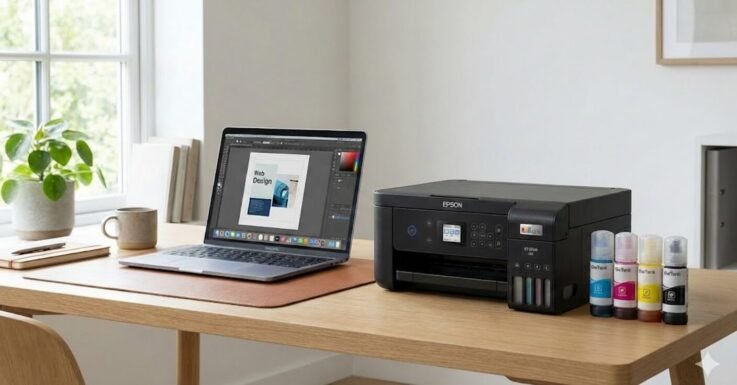
The Epson EcoTank ET-2850 is an excellent pick for home users who are absolutely fed up with buying expensive ink cartridges. It uses a “supertank” system that you fill with affordable bottles. This translates to massive savings over time. It is compact, blends into any desk setup, and handles standard document printing with ease.
- Ink Efficiency: Bottle-based supertank system drastically lowers the cost per page.
- Speed & Quality: Prints 10.5 pages per minute (ppm) in black and 5 ppm in color with crisp 4800 x 1200 resolution.
- Paper Saving: Features automatic two-sided (duplex) printing.
- Setup: Users report surprisingly easy wireless setup, though connectivity can occasionally drop for some.
2. Brother HL-L2405W Monochrome Laser Printer

Best For: Lightning-Fast Black and White Documents
If you want something that is all about speed and reliability for text documents, look no further than the Brother HL-L2405W. This is a monochrome laser printer (black and white only), but it is an absolute workhorse. It flies through reports, invoices, and school papers while maintaining super crisp text thanks to the laser technology.
- Blazing Speed: Prints up to an impressive 30 pages per minute.
- Laser Quality: Text is significantly sharper than standard inkjet printers.
- Smart Tech: Dual-band Wi-Fi and seamless integration with the Brother Mobile Connect App.
- Duplex Printing: Despite some user confusion online, official specs confirm it does feature automatic two-sided printing.
3. Canon PIXMA TR8620a All-in-One Printer

Best For: Smart Home Integration and Versatility
The Canon PIXMA TR8620a is a proper all-in-one machine for homes and smaller home offices. It prints, copies, scans, and even faxes. What makes it future-focused is its Alexa integration—your smart speaker can tell you when ink is low and even reorder it for you automatically.
- Smart Features: Alexa integration for hands-free ink monitoring.
- Solid Speed: Outputs 15 ppm in black and 10 ppm in color.
- Paper Handling: Features a dual paper feed system with a 200-sheet capacity for easily swapping media types.
- Print Quality: Delivers amazing, crisp text and vibrant colors, though the physical build can feel slightly flimsy to some.
4. Epson Expression Premium XP-7100
Best For: High-Quality Photos and Crafters
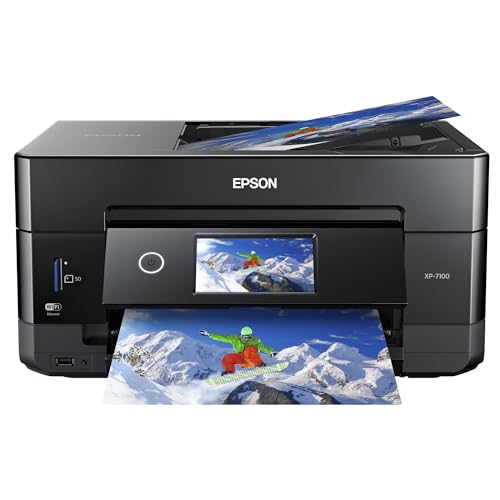
This printer is built for those who really care about photos but still need a solid everyday document machine. It uses a 5-color Claria Premium ink system, including a dedicated “photo black” cartridge, which makes a massive difference for achieving deep, dark tones in pictures.
- Photo Quality: 5-cartridge system delivers superior, vibrant photo prints.
- Versatile Media: Multiple paper feeds allow you to easily swap between plain paper, photo paper, and even print directly onto DVDs.
- Convenience: Features a 30-page automatic document feeder (ADF) and auto 2-sided printing.
- Trade-off: Ink cartridges can get pricey and have lower yields compared to tank models.
5. Canon Megatank G3290 Wireless Supertank
![Canon Megatank G3290 All-in-One Wireless Supertank [Megatank]...](https://m.media-amazon.com/images/I/41S9vIfHBSL.jpg)
Best For: High-Volume Printing on a Budget
The Canon MegaTank G3290 is built for seriously low printing costs. Like the EcoTank, it uses refillable ink reservoirs, meaning you get thousands of pages before needing a top-up (think 6,000 black and white or 7,700 color pages per set). It often comes with up to two years of ink right in the box!
- Massive Yield: Prints thousands of pages per affordable bottle refill.
- Interface: Features a modern 2.7-inch color touchscreen for intuitive navigation.
- All-in-One: Handles wireless printing, copying, scanning, and automatic two-sided printing.
- Value: The ultimate money-saver for families or home offices that print a ton of pages.
Final Verdict
If your main goal is to stop overpaying for ink, grab an ink tank model like the Epson EcoTank ET-2850 or the Canon MegaTank G3290. If you never print in color and just need fast, crisp documents, the Brother Monochrome Laser is unbeatable. For the best photo quality, the Epson Expression XP-7100 is the clear winner, provided you don’t mind cartridge costs.
Frequently Asked Questions (FAQs)
1. What is the difference between an Inkjet Cartridge and an Ink Tank printer?
Cartridge printers (like the Canon PIXMA) use small, replaceable plastic cartridges that can be expensive over time. Ink Tank printers (like the EcoTank or MegaTank) have large internal reservoirs that you fill with cheap bottles of ink, dramatically lowering the cost per printed page.
2. Should I buy a laser printer or an inkjet printer?
If you primarily print text documents, essays, and shipping labels, a laser printer (like the Brother HL-L2405W) is faster, produces sharper text, and the toner won’t dry out if left unused. If you need to print color photos or graphics, an inkjet printer is the better choice.
3. What does “Auto-Duplex” mean?
Auto-duplex means the printer can automatically print on both sides of a piece of paper without you having to manually flip the page over and re-insert it. It’s a massive time and paper saver.
Last update on 2026-04-09/Affiliate links / Images from Amazon Product Advertising API