Ditch the Ink: The 5 Best Laser Printers for Home Use in 2026
If you’re thinking about upgrading your home office with something powerful, reliable, and actually efficient, it’s time to ditch the old inkjet. Today’s laser printers are built for speed, exceptional text clarity, and long-term value, making them the ultimate upgrade for your workspace.
In this guide, we’re covering the top 5 best laser printers for home use available in 2026. We’ve chosen these machines based on their print speed, document quality, smart features, and overall value. Let’s dive in and find the perfect workhorse for your home office!
Table of Contents
At a Glance: Top 5 Best Laser Printers for Home Use
| Product Name | Printer Type | Print Speed | Best For |
|---|---|---|---|
| Brother DCP-L2640DW | Monochrome 3-in-1 | 36 ppm | High-Volume B&W Printing |
| HP LaserJet Pro 3101fdw | Monochrome | Fast | Data Security & Small Teams |
| Brother HL-L3280CDW | Color (Print Only) | 27 ppm | Vibrant Color Presentations |
| Canon Color imageCLASS | Color 4-in-1 | 26 ppm | Heavy-Duty Professional Use |
| HP LaserJet Pro 3301sdw | Color Multifunction | 26 ppm | Graphics-Grade Output Quality |
The 5 Best Laser Printers Reviews
1. Brother DCP-L2640DW Printer

Best For: High-Volume Black & White Printing
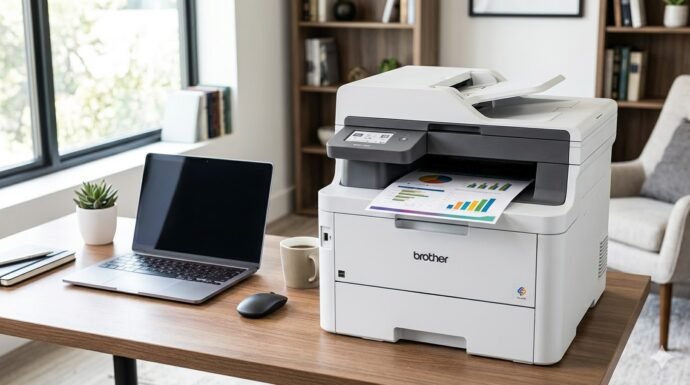
The Brother DCP-L2640DW is a monochrome powerhouse built for anyone who just needs their work done without any drama. It’s a 3-in-1 machine that prints, scans, and copies, yet features a compact footprint that won’t take over your entire desk.
- Speed: Packs a fast engine capable of hitting up to 36 pages per minute—perfect for busy Monday mornings.
- Convenience: The automatic document feeder is a massive time-saver for multi-page scanning.
- Connectivity: Features dual-band Wi-Fi and the Brother Mobile Connect app.
- Value: Highly budget-friendly in the long run because the laser toner lasts ages compared to standard inkjets.
2. HP LaserJet Pro 3101fdw Printer

Best For: Data Security and Small Teams
The HP LaserJet Pro 3101fdw is a black-and-white workhorse designed for small teams or busy home offices that prioritize security and speed. It pushes out pages at an incredibly fast rate, ensuring you have professional-quality documents in your hands immediately.
- Security: Features HP Wolf Pro Security to protect your network and sensitive data.
- Efficiency: Auto-duplex printing saves paper (note: it does not support duplex scanning).
- Text Quality: Delivers professional-grade, sharp text with a very impressive first-page-out time.
- Drawbacks: The HP Smart app is mandatory for most functions, and the Wi-Fi connection can occasionally be spotty.
3. Brother HL-L3280CDW Printer

Best For: Vibrant Color Presentations
If you need color but still want legendary laser reliability, the Brother HL-L3280CDW is a fantastic contender. It’s a print-only unit (no scanner or copier), but it makes up for it with phenomenal image quality. The color output is surprisingly vibrant for a laser printer, making it ideal for presentations or crafting projects.
- Performance: Prints up to 27 pages per minute while remaining fast and quiet.
- Smart Interface: Features a 2.7-inch touchscreen that connects directly to cloud services like Google Drive.
- Build: Built like an absolute tank; it is heavy and requires a dedicated, sturdy spot on your desk.
- Drawbacks: Brother aggressively pushes their toner subscription service, and the mobile app can be a bit laggy.
4. Canon Color imageCLASS MF665Cdw

Best For: Heavy-Duty Professional Use
The Canon Color imageCLASS is a massive 4-in-1 solution built for heavy lifting. Weighing in at roughly 60 pounds, it is a serious piece of hardware designed for high-volume use that feels like it will easily last for a decade.
- Speed & Quality: Prints at 26 pages per minute in both color and black-and-white with exceptional color quality out of the box.
- Usability: The 5-inch color touchscreen is one of the best in the business, allowing for sensible, customizable shortcuts.
- Durability: Sturdy, dependable, and produces professional results every single time.
- Drawbacks: It is fairly noisy during operation, and the initial network setup can be a bit technical for beginners.
5. HP LaserJet Pro 3301sdw Printer

Best For: Graphics-Grade Output Quality
The HP 3301sdw color multifunction printer is a modern, sleek machine that looks great in a contemporary home office. It utilizes TerraJet toner technology, resulting in incredibly vivid colors and ultra-sharp text that rivals professional print shops.
- Advanced Toner: TerraJet technology delivers graphics-grade quality for your most demanding workloads.
- Capacity: Includes a 250-sheet input tray so you aren’t constantly refilling paper.
- Speed: Easily hits speeds of 26 pages per minute.
- Drawbacks: The toner is notoriously expensive, and HP uses chips to prevent the use of third-party cartridges.
Final Verdict
If you just want a reliable, no-nonsense machine for printing black-and-white text documents, the Brother DCP-L2640DW is the ultimate budget-friendly workhorse. If you have the desk space and need high-volume, professional color printing with scanning capabilities, the heavy-duty Canon Color imageCLASS is a premium investment that won’t let you down. Finally, for those who value graphics-grade color output above all else, the HP LaserJet Pro 3301sdw is the top tier.
Frequently Asked Questions (FAQs)
1. Why should I buy a laser printer instead of an inkjet?
Laser printers use dry toner powder instead of liquid ink. This means your cartridges will never dry out or clog, even if you go months without printing. While laser printers often cost a bit more upfront, they are vastly cheaper to run in the long term, print much faster, and produce sharper text than inkjets.
2. What is “Auto-Duplex” printing?
Auto-duplex is a feature that allows the printer to automatically print on both sides of a single sheet of paper without you having to manually flip the page and re-feed it into the machine. It is a massive time-saver and helps cut your paper usage in half.
3. Can laser printers print high-quality photos?
While modern color laser printers (like the HP 3301sdw or Canon imageCLASS) print incredibly vibrant graphics, charts, and presentations, they are not ideal for glossy, high-resolution photography. If printing framable family photos is your primary goal, a high-end photo inkjet printer is still the better choice.
Last update on 2026-09-17/Affiliate links / Images from Amazon Product Advertising API